
Key facts
- Manuals
- 1
- Languages
- EN
- Last added
- 2012-01-11
Featured FEIG manuals
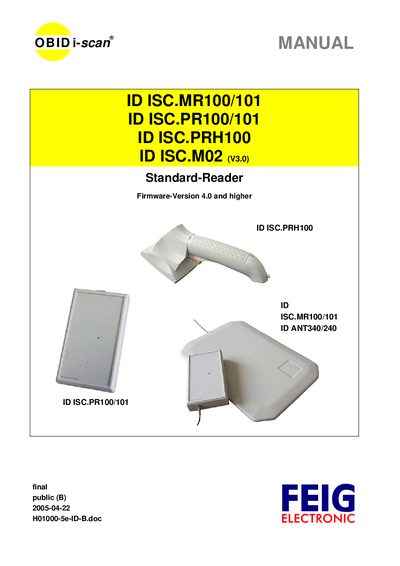
FEIG ID ISC.MR100/101, ID ISC.PR100/101, ID ISC.PRH100, ID ISC.M02 System Manual
The FEIG System Manual provides comprehensive information for installing, configuring, and operating the ID ISC series RFID readers. It covers the data transmission protocol between the readers and a host, asynchronous interface timing, and all configuration parameters (CFG) needed to tailor the device to specific applications.
The document is organized into sections on reader configuration protocols, control commands, ISO15693 host command sets, special commands, and several annexes that detail timing behavior, status and control byte indexes, and example usage. It also includes driver installation notes and power supply requirements for each reader model.
Covers: Data Transmission between Reader and Host · Asynchronous Interface · Configuration Parameters (CFG) · Protocols for Reader Configuration · Protocols for Reader Control · Protocols for ISO15693 Host Commands
Latest FEIG manuals
FEIG ID ISC.MR100/101, ID ISC.PR100/101, ID ISC.PRH100, ID ISC.M02 System Manual
User Manual 118 pages · 700 KB · ENThis FEIG system manual describes configuration, commands, and interface details for the ID ISC.MR100/101, ID ISC.PR100/101, ID ISC.PRH100, and ID ISC.M02…
Which document do I need?
User Manual
Day-to-day operation, settings and troubleshooting. Start here if the product is already set up.
Questions answered in FEIG manuals
Which command retrieves the reader’s software version?
Use the command [0x65] Get Software Version.
From: FEIG ID ISC.MR100/101, ID ISC.PR100/101, ID ISC.PRH100, ID ISC.M02 System Manual
How can I read the input status on an ID ISC.PRH100 reader?
Send the command [0x74] Get Input (only for ID ISC.PRH100/110).
From: FEIG ID ISC.MR100/101, ID ISC.PR100/101, ID ISC.PRH100, ID ISC.M02 System Manual