
Key facts
- Manuals
- 2
- Languages
- ZH · EN
- Last added
- 2012-03-12
Featured F-Secure manuals
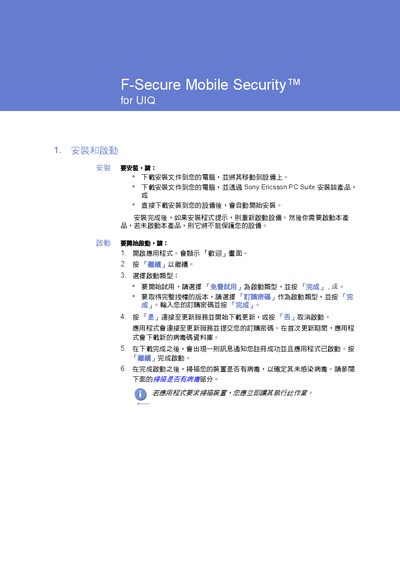
F‑Secure Mobile Security User Manual
This manual explains how to install F‑Secure Mobile Security on UIQ devices, either by downloading the installer to a PC and moving it to the device or by using the Sony Ericsson PC Suite. After installation, the application runs in the background, automatically scanning files for viruses and providing options to view, delete, or release infected files.
The guide also describes how to configure the built‑in firewall, choose protection levels, and keep the virus‑definition database up to date through automatic or manual updates. Technical support contacts and legal notices are provided at the end of the document. This manual is written in Chinese.
Covers: Installation · Starting the Application · Virus Scanning · Handling Infected Files · Firewall Settings · Automatic Updates
F-Secure Internet Gatekeeper for Linux Administrator's Guide
This guide provides detailed instructions for installing, configuring, and administering F-Secure Internet Gatekeeper for Linux. It includes sections on system requirements, package installation (rpm or tar.gz), backup and restore, and typical network configurations.
The document also describes advanced features such as transparent proxy, various authentication methods, command‑line tools, log management, and product specifications like throughput and supported connections.
Covers: Features · System Requirements · Installing · Typical Configurations · Proxy Settings · Advanced Settings
Latest F-Secure manuals
F‑Secure Mobile Security User Manual
User Manual 3 pages · 215 KB · ZHUser manual for F‑Secure Mobile Security on UIQ devices, covering installation, virus scanning, firewall settings, and updates.
F-Secure Internet Gatekeeper for Linux Administrator's Guide
User Manual 175 pages · 1.3 MB · ENAdministrator's Guide for F-Secure Internet Gatekeeper for Linux covering installation, configuration, proxy settings, and maintenance.
Which document do I need?
User Manual
Day-to-day operation, settings and troubleshooting. Start here if the product is already set up.
Questions answered in F-Secure manuals
How do I install F‑Secure Mobile Security on a UIQ device?
Download the installer to your computer and move it to the device, or use the Sony Ericsson PC Suite to install the product.
How can I update the virus‑definition database?
The application automatically updates when an internet connection is available; you can also update manually via the Update menu.
Which network protocols does the product scan?
The product scans traffic based on HTTP, FTP, SMTP, and POP protocols.
From: F-Secure Internet Gatekeeper for Linux Administrator's Guide
Does the product support a transparent proxy?
Yes, the product includes support for a transparent proxy.
From: F-Secure Internet Gatekeeper for Linux Administrator's Guide