
Key facts
- Manuals
- 1
- Languages
- ZH
- Last added
- 2012-03-14
Featured DGC-XMT manuals
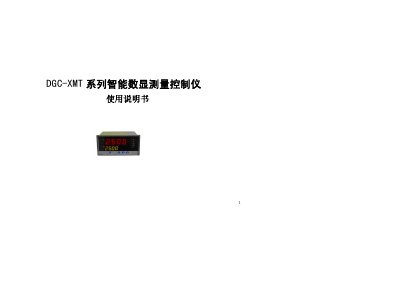
DGC XMT Series Intelligent Digital Measurement Controller User Manual
This manual introduces the DGC XMT series intelligent digital measurement controller, covering its main features, technical specifications, panel layout, and operating procedures. It explains how to configure parameters, select input types, and use the built‑in PID control functions.
The document also details wiring definitions, external communication options, alarm and auxiliary output configurations, and provides a fault‑diagnosis guide to help users resolve common issues such as power failures, sensor errors, and incorrect parameter selections. This manual is written in Chinese.
Covers: Overview · Technical Specifications · Panel Description and Operation · Parameter Functions and Settings · Typical Application Description · Parameter Symbol Table
Latest DGC-XMT manuals
DGC XMT Series Intelligent Digital Measurement Controller User Manual
User Manual 31 pages · 263 KB · ZHThe DGC XMT series intelligent digital measurement controller manual provides overview, specifications, panel operation, parameter settings, wiring…
Which document do I need?
User Manual
Day-to-day operation, settings and troubleshooting. Start here if the product is already set up.
Questions answered in DGC-XMT manuals
What should I do if the instrument does not power on?
Check that the power cable is properly connected and that the supply voltage is within the normal range; if the problem persists, contact the manufacturer or distributor.
From: DGC XMT Series Intelligent Digital Measurement Controller User Manual
How can the alarm output be configured?
The alarm output can be set to upper‑limit, lower‑limit, positive‑deviation, negative‑deviation, or a combination, with a relay contact capacity of 1 A.
From: DGC XMT Series Intelligent Digital Measurement Controller User Manual