
Key facts
- Manuals
- 3
- Languages
- ZH
- Last added
- 2012-03-22
Featured CECT manuals
CECT 828G Phone User Manual
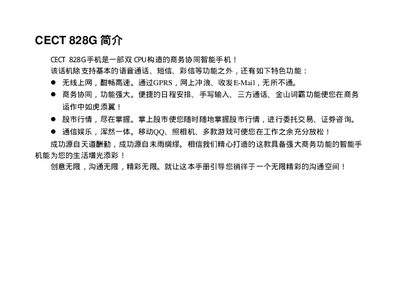
The CECT 828G is a dual‑CPU mobile phone that supports voice calls, SMS, MMS, GPRS, B‑Mail, stock market updates, QQ, and a built‑in camera. It also offers advanced functions such as schedule management, handwriting input, and three‑party notifications.
The manual provides instructions for using communication features, managing contacts and groups, adding or deleting entries, and accessing additional settings. It includes version information (December 2004, 3rd edition) and contact details for support. This manual is written in Chinese.
Covers: General Features · Communication Functions · Contact and Group Management · Adding and Deleting Entries · Additional Settings
CECT JoyX S830C GPRS Mobile Phone User Manual
This manual covers safety matters such as RF exposure limits, proper antenna handling, and precautions when using the phone near medical devices. It also explains battery handling, charging temperature limits, and usage rules for vehicles, aircraft, and hazardous environments.
Detailed operating instructions are provided, including phone layout, menu navigation, making and receiving calls, using international and emergency numbers, and managing contacts. The guide also describes the phone’s hardware specifications and regulatory compliance. This manual is written in Chinese.
Covers: Safety Guidelines · Phone Overview · Operating the Phone · Making Calls · Emergency Calls · Battery Usage
Latest CECT manuals
CECT 828G Phone User Manual
User Manual 198 pages · 2.5 MB · ZHThe CECT 828G phone user manual explains basic calls, messaging, GPRS, email, stock quotes, QQ, camera and other features.
CECT P525 phones user manual
CECT JoyX S830C GPRS Mobile Phone User Manual
User Manual 156 pages · 6.8 MB · ZHThe CECT JoyX S830C GPRS mobile phone user manual provides safety guidelines, operation instructions, and specifications for the device.
Which document do I need?
User Manual
Day-to-day operation, settings and troubleshooting. Start here if the product is already set up.
Questions answered in CECT manuals
What basic functions does the CECT 828G phone support?
It supports voice calls, SMS, MMS, GPRS, B‑Mail, stock market updates, QQ, and a camera.
How can I add or delete contacts on the CECT 828G?
Use the group management functions to add or delete contacts and view existing groups.
How far should the phone be kept from a pacemaker or other medical devices?
Keep the phone at least six inches (6") away from pacemakers and other medical equipment.
What temperature range should be used when charging the battery?
Charge the battery between 0°C (+32°F) and +45°C (+113°F).