
Key facts
- Manuals
- 1
- Languages
- ZH
- Last added
- 2012-03-12
Featured Caspian manuals
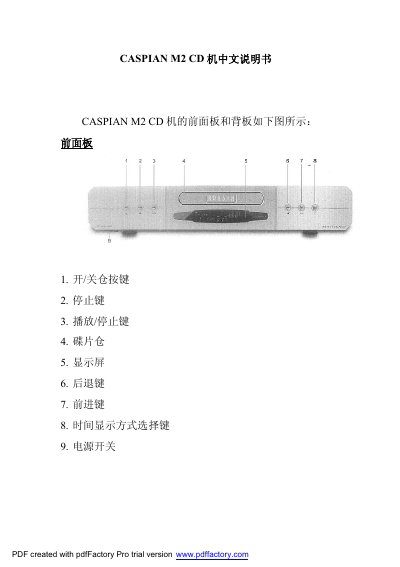
Caspian M2 CD Player User Manual
This manual describes the front‑panel controls of the Caspian M2 CD player, including power, play/pause, track navigation, and display functions. It also details the back‑panel connections such as analog (RCA/XLR) and digital (Toslink, AES/EBU, coaxial) audio outputs and the power switch location.
The remote control functions, repeat playback modes, programming playback, and common troubleshooting steps are explained. Users can learn how to insert discs, start playback, set repeat modes, program playlists, and resolve issues like disc‑door not closing or no sound. This manual is written in Chinese.
Covers: Front Panel · Back Panel · Power Switch · Remote Control · Button Functions · Repeat Playback Modes
Latest Caspian manuals
Caspian M2 CD Player User Manual
User Manual 7 pages · 301 KB · ZHThe Caspian M2 CD Player User Manual provides operating instructions, button functions, remote control usage, and troubleshooting tips.
Which document do I need?
User Manual
Day-to-day operation, settings and troubleshooting. Start here if the product is already set up.
Questions answered in Caspian manuals
How do I start playing a CD?
Insert the disc, press the open/close tray button, then press the play/pause button to begin playback and see track and time on the display.
How do I clear a programmed playlist?
While the player is stopped, hold the CLEAR button for about 3 seconds to erase the programmed playback list.