
Key facts
- Manuals
- 2
- Languages
- ZH
- Last added
- 2012-05-03
Featured Azbox manuals
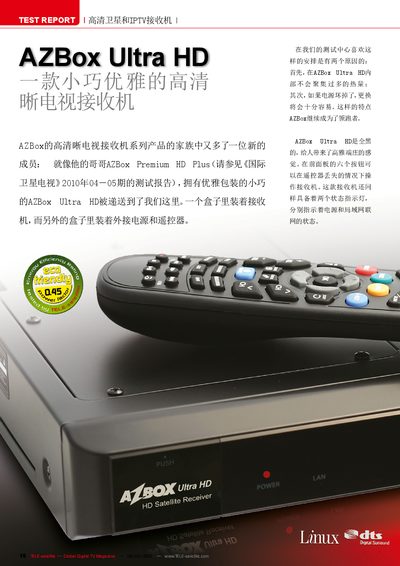
AZBox Ultra HD Satellite and IPTV Receiver User Manual
This manual covers the hardware interfaces of the AZBox Ultra HD, including its DVB‑S2 tuner, HDMI, RCA, optical audio, Ethernet and USB ports, as well as the built‑in 300 MHz CPU, 128 MB DDR memory and optional hard‑disk or USB storage for PVR functions. Detailed instructions are provided for initial power‑on, language selection, network configuration, and accessing IPTV streams.
The guide also describes advanced features such as blind‑scan satellite acquisition, DiSEqC and USALS motor control, plugin management, YouTube integration, and an embedded web browser. Power consumption figures, technical data, and troubleshooting tips are included to help users get the most out of the receiver. This manual is written in Chinese.
Covers: Hardware Interfaces · Initial Setup and Language Selection · Network and IPTV Configuration · Satellite Channel Scanning · Multimedia Playback and Plugins · PVR Recording and Storage
Latest Azbox manuals
AZBox Premium HD+ User Manual
This document is AZBox Premium HD+ User Manual, which introduces the features of the product.
AZBox Ultra HD Satellite and IPTV Receiver User Manual
User Manual 6 pages · 2.4 MB · ZHThe AZBox Ultra HD manual explains setup, network features, channel scanning, multimedia playback, and power specifications for the satellite and IPTV receiver.
Which document do I need?
User Manual
Day-to-day operation, settings and troubleshooting. Start here if the product is already set up.
Questions answered in Azbox manuals
How many channels can the AZBox Ultra HD store?
It can store up to 15 000 channels.
From: AZBox Ultra HD Satellite and IPTV Receiver User Manual
Does the receiver support HDMI output?
Yes, the device includes an HDMI output.
From: AZBox Ultra HD Satellite and IPTV Receiver User Manual