
Key facts
- Manuals
- 4
- Languages
- ZH · EN · TR
- Last added
- 2012-03-15
Featured AELITA manuals
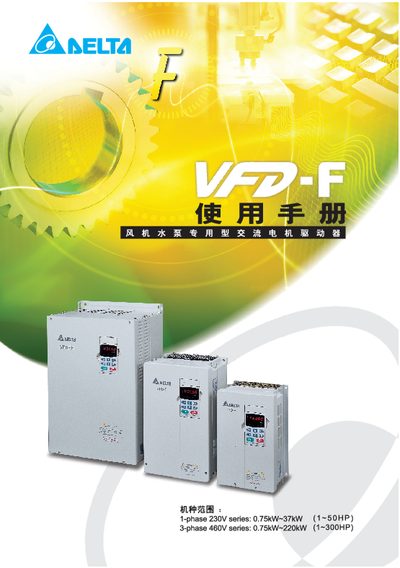
Delta VFD-F Series AC Motor Drive User Manual
This manual covers the VFD-F series AC motor drives used for fan and pump applications. It includes safety warnings, proper grounding, power‑off procedures, and installation requirements to ensure reliable operation.
The document details storage conditions, wiring diagrams, digital operator key functions, parameter settings, error messages, and specifications such as input voltage, output voltage, power rating, and frequency range. It also provides guidance on brake resistor selection and relay card installation. This manual is written in Chinese.
Covers: Delivery Inspection · Storage and Installation · Wiring · Digital Operator Key Description · Function and Parameter Description · Error Messages and Troubleshooting
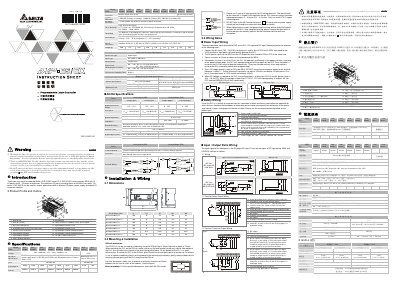
Delta DVP-ES/EX Series PLC Installation Manual
The Delta DVP-ES/EX series PLC is an open‑type controller designed for use in a protected enclosure away from dust, humidity and electrical shock hazards. It offers 14‑60 digital I/O points on the main unit with optional expansion modules, allowing up to 128 total I/O points for a wide range of applications.
This manual provides detailed instructions for mechanical mounting on DIN rails or direct mounting, power input wiring (AC 100‑240 V or DC 24 V), grounding, safety wiring, and wiring of digital and analog I/O points. Environmental limits, electrical specifications and recommended installation practices are also included.
Covers: Product Profile and Outline · Dimensions · Mounting & Installation · Power Input Wiring · Safety Wiring · Input/Output Point Wiring
Delta RTU-DNET DVP-0214110-02 DeviceNet Remote I/O Module User Manual
The Delta RTU-DNET DVP-0214110-02 is a DeviceNet slave module that offers up to 128 digital I/O points and can connect up to eight special modules or MODBUS devices. It supports standard DeviceNet and MODBUS protocols and includes configurable communication settings such as baud rate and address.
The manual covers product overview, hardware dimensions, connector details, installation on DIN rails, wiring of DeviceNet and RS‑485 ports, address and function switches, configuration software, example applications, extended baud‑rate settings, and a full error‑diagnosis and troubleshooting guide. This manual is written in Chinese.
Covers: Product Overview · RTU-DNET Unit Components · Installation · Configuration · Application Examples · Extended Baud‑Rate Settings
Delta Electronics DVPSCM12-SL Installation Guide
The DVPSCM12‑SL is an open‑type RS‑485/RS‑422 serial communication module designed for installation in a protected enclosure. It provides two isolated ports, each capable of connecting up to 32 devices, and includes built‑in terminal resistors and LED indicators for power, run, and error status.
The guide covers mechanical dimensions, wiring diagrams, pin definitions, control register settings, electrical specifications, environmental ratings, and step‑by‑step installation procedures, along with LED status meanings and troubleshooting tips. This manual is written in Turkish.
Covers: Features · Product Profile · Specifications · Installation · PIN Definitions of RS-485/RS-422 Ports · Control Registers (CR)
Latest AELITA manuals
Delta VFD-F Series AC Motor Drive User Manual
User Manual 173 pages · 6.1 MB · ZHThe Delta VFD-F Series AC motor drive user manual provides safety guidelines, installation, wiring, operation, and troubleshooting information.
Delta DVP-ES/EX Series PLC Installation Manual
Installation Guide 4 pages · 2.2 MB · ENInstallation guide for Delta DVP-ES/EX series PLC covering wiring, mounting, power and safety requirements.
Delta RTU-DNET DVP-0214110-02 DeviceNet Remote I/O Module User Manual
User Manual 48 pages · 1.6 MB · ZHThis manual provides specifications, installation, operation, configuration and troubleshooting for the Delta RTU-DNET DVP-0214110-02 DeviceNet remote I/O…
Delta Electronics DVPSCM12-SL Installation Guide
Installation Guide 18 pages · 727 KB · TRInstallation and wiring guide for the Delta DVPSCM12-SL RS‑485/RS‑422 communication module with specifications and troubleshooting.
Which document do I need?
User Manual
Day-to-day operation, settings and troubleshooting. Start here if the product is already set up.
Installation Guide
Mounting, wiring and first power-up. Read it before the hardware goes in.
Questions answered in AELITA manuals
What wiring clearance is required for the relay card?
Relay‑card wiring must be kept at least 15 cm away from other control, motor, and power lines, and should be routed vertically if crossing is necessary.
What power supply voltage should be used for the DVP-ES/EX series PLC?
The PLC can be powered from 100‑240 V AC (±15 %) at 50/60 Hz or from a 24 V DC source (±15 %).
How many total I/O points can the DVP-ES/EX series support?
The series can support up to 128 I/O points including those on the main processing unit and any expansion modules.
How do I set the node address of the RTU‑DNET module?
Use the address setting switches to select a node address between 00 and 63; addresses 64‑99 are invalid. The setting must be made with power off, and the module must be powered on after adjustment.
From: Delta RTU-DNET DVP-0214110-02 DeviceNet Remote I/O Module User Manual
How can I change the DeviceNet communication speed?
Adjust the function setting switches DR0 and DR1; the switch positions correspond to 125 kbps, 250 kbps, or 500 kbps. The module must be powered off before changing the switches and powered on again for the setting to take effect.
From: Delta RTU-DNET DVP-0214110-02 DeviceNet Remote I/O Module User Manual
What power supply voltage does the DVPSCM12‑SL require?
It requires a 24 VDC supply with a tolerance of –15 % to +20 %.