
Key facts
- Manuals
- 4
- Languages
- EN · ZH · JA
- Last added
- 2026-10-01
Featured Mophie manuals
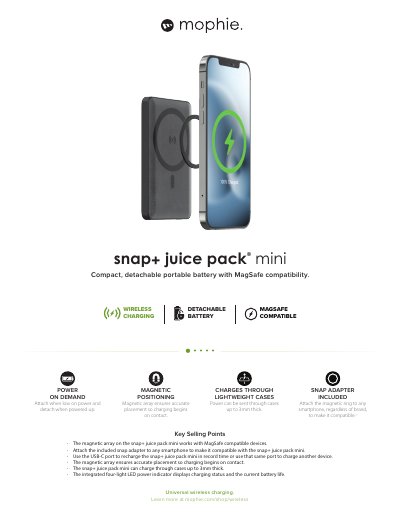
mophie snap + juice pack mini Product Leaflet
The snap + juice pack mini is a compact, detachable portable battery that works with MagSafe‑compatible iPhones and other Qi‑enabled devices. It features a magnetic array for precise placement, a snap adapter for universal compatibility, and an integrated four‑light LED indicator that shows charging status and remaining battery life.
The device houses a 5,000 mAh internal battery, offers USB‑C input/output and wireless charging, and measures 2.62 × 4.21 × 0.5 in (67 × 107 × 13 mm) weighing 4.76 oz. The box includes the snap + juice pack mini, a USB‑C cable, a snap adapter, an install kit and a quick‑start guide, and it comes with a 2‑year warranty.
Covers: Key Selling Points · Compatibility · Battery Capacity · Charging Ports · Dimensions and Weight · In the Box
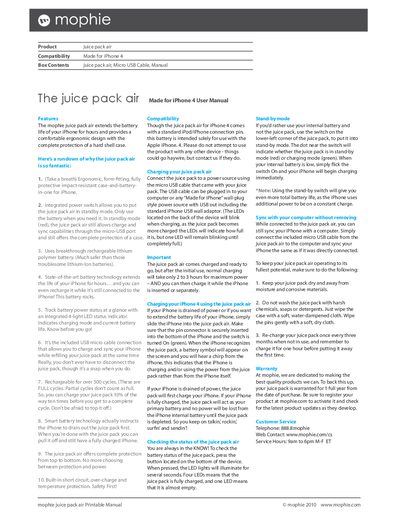
mophie Juice Pack Air for iPhone 4 User Manual
The mophie Juice Pack Air is a battery case designed specifically for the iPhone 4. It combines a protective hard‑shell case with an integrated rechargeable lithium‑polymer battery, extending the phone’s runtime while keeping it safe from impacts.
The manual covers box contents, key features such as the power switch, LED status indicator, and standby mode, and provides step‑by‑step instructions for charging the pack, using it with the iPhone 4, checking battery status, syncing with a computer, and safety precautions. Frequently asked questions address charging methods, compatibility, cycle life, and syncing capabilities.
Covers: Box Contents · Features · Charging the Juice Pack Air · Using the Juice Pack with iPhone 4 · Status Indicator · Stand‑by Mode
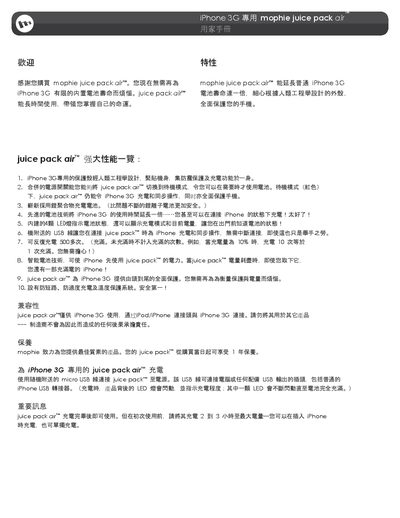
mophie juice pack air User Manual
This guide describes the juice pack air™ accessory designed specifically for the iPhone 3G. It covers its ergonomic protective case, built‑in lithium‑polymer battery, LED status indicators, and the integrated power switch that lets you switch between standby and charging modes.
The manual also provides instructions for charging, syncing with a computer, maintenance tips, safety warnings, and answers common questions such as the best charging method, charge‑cycle life, and benefits of standby mode. This manual is written in Chinese.
Covers: Features · Compatibility · Usage · Status Check · Standby Mode · Sync with Computer
Mophie Juice Pack iPhone 3G User Manual
Thank you for purchasing the Mophie Juice Pack. This accessory is designed specifically for the Apple iPhone 3G and includes a standard Apple 30‑pin connector. The manual outlines proper use, charging procedures, and warranty coverage.
Important safety and handling instructions are included: keep the battery away from high temperatures, moisture, and chemicals; charge it at least once every three months when not in use; do not disassemble or modify the unit; and dispose of it according to local recycling regulations. The warranty lasts one year from the date of purchase. This manual is written in Japanese.
Covers: Thank You and Introduction · Compatibility · Warranty · Safety and Handling · Charging Instructions · Storage Guidelines
Latest Mophie manuals
mophie snap + juice pack mini Product Leaflet
Product Leaflet 2 pages · 596 KB · ENThe mophie snap + juice pack mini is a compact detachable portable battery with MagSafe compatibility, USB‑C fast charging and a 5,000 mAh capacity.
mophie Juice Pack Air for iPhone 4 User Manual
User Manual 2 pages · 125 KB · ENThe mophie Juice Pack Air user manual provides setup, charging, safety, and FAQ instructions for the iPhone 4 battery case.
mophie juice pack air User Manual
User Manual 3 pages · 314 KB · ZHThe manual explains features, charging, standby mode, LED indicators, safety warnings and FAQs for the mophie juice pack air accessory for iPhone 3G.
Mophie Juice Pack iPhone 3G User Manual
User Manual 1 pages · 180 KB · JAThe Mophie Juice Pack iPhone 3G User Manual provides safety instructions, charging guidelines, and warranty information for the accessory.
Which document do I need?
User Manual
Day-to-day operation, settings and troubleshooting. Start here if the product is already set up.
Questions answered in Mophie manuals
How many extra charges does the snap + juice pack mini provide?
It can provide up to 100 % extra battery, equivalent to one full charge of a compatible device.
What are the best methods for charging my juice pack air?
Connect the mophie juice pack to a power source using the USB cable that came with your juice pack. The USB cable can be plugged into a computer or any “Made for iPhone” wall‑plug style power source with USB out.
Is the juice pack air for iPhone 4 compatible with any previous generation iPhone?
No, this juice pack air is only compatible with iPhone 4.
What is the best charging method for the juice pack air?
Use the supplied micro USB cable to connect the juice pack to a power source.
How many charge cycles can the juice pack air handle?
It can be recharged more than 500 times.
How often should I charge the Juice Pack when it is not in use?
Charge the Juice Pack at least once every three months even if you are not using it.