
Key facts
- Manuals
- 1
- Languages
- ZH
- Last added
- 2026-10-03
Featured Shandong Renke manuals
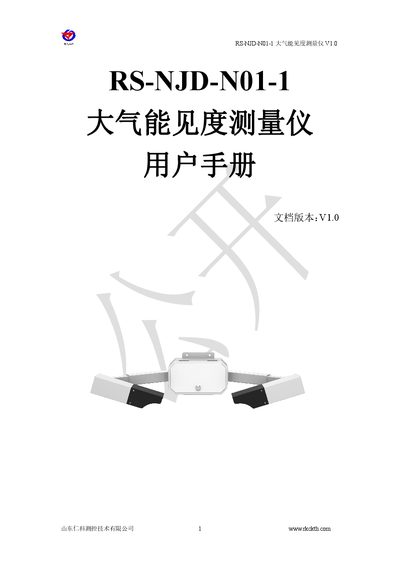
Shandong Renke RS-NJD-N01-1 Atmospheric Visibility Meter User Manual
The RS‑NJD‑N01‑1 atmospheric visibility meter uses a 35° forward‑scattering principle to measure visibility distance with high accuracy. It features a protected optical head, low power consumption, RS‑485 output and robust over‑voltage and electromagnetic protection, making it suitable for road, airport and port meteorological systems.
This manual provides product overview, selection guidance, step‑by‑step installation, software configuration, Modbus‑RTU communication details, common troubleshooting tips and contact information for Shandong Renke Measurement Control Technology Co., Ltd. This manual is written in Chinese.
Covers: Product Overview · Product Selection · Installation Instructions · Software Configuration · Communication Protocol · Troubleshooting
Latest Shandong Renke manuals
Shandong Renke RS-NJD-N01-1 Atmospheric Visibility Meter User Manual
User Manual 10 pages · 862 KB · ZHUser manual for the RS‑NJD‑N01‑1 atmospheric visibility meter, covering installation, configuration, communication and troubleshooting.
Which document do I need?
User Manual
Day-to-day operation, settings and troubleshooting. Start here if the product is already set up.
Questions answered in Shandong Renke manuals
How can I change the device address and baud rate?
Use the provided configuration software (485 parameter configuration tool) to modify the address and baud rate; connect only one device at a time, then set the desired values in the software.
From: Shandong Renke RS-NJD-N01-1 Atmospheric Visibility Meter User Manual
What is the default RS‑485 address of the device?
The factory default address is 0x01 (decimal 1).
From: Shandong Renke RS-NJD-N01-1 Atmospheric Visibility Meter User Manual