
Key facts
- Manuals
- 1
- Languages
- ZH
- Last added
- 2026-10-01
Featured YingShi manuals
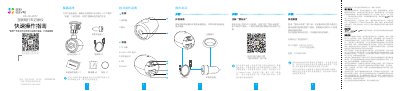
YingShi Internet Dash Cam User Manual
This manual provides step‑by‑step instructions for unpacking, installing, and configuring the YingShi Internet dash cam. It includes a quick‑operation guide, device‑part description, Wi‑Fi connection procedures, and how to use the companion EZVIZ Cloud Video app.
Additional sections cover safety notices, environmental compliance, warranty information, and detailed troubleshooting for common issues such as power loss, recording problems, and Wi‑Fi connectivity. This manual is written in Chinese.
Covers: Box Contents · Quick Operation Guide · Device Parts Description · Installation Steps · Wi‑Fi Setup and Cloud Registration · Recording Settings
Latest YingShi manuals
YingShi Internet Dash Cam User Manual
User Manual 2 pages · 1.3 MB · ZHUser manual for the YingShi Internet dash cam covering installation, Wi‑Fi setup, operation, and troubleshooting.
Which document do I need?
User Manual
Day-to-day operation, settings and troubleshooting. Start here if the product is already set up.
Questions answered in YingShi manuals
How do I reset the dash cam to factory settings?
Press and hold the Reset key for 10 seconds; the device will restart and restore factory defaults.
What is the default Wi‑Fi password?
The default password is 1234567890.