
Key facts
- Manuals
- 1
- Languages
- ZH
- Last added
- 2026-09-28
Featured Haily manuals
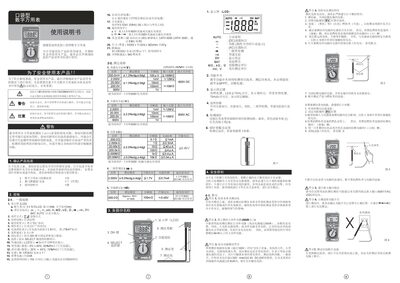
Haily H70-E60-1102-1 Pocket Digital Multimeter User Manual
This manual explains safety precautions and proper handling of the Haily H70‑E60‑1102‑1 pocket digital multimeter. It covers warnings, automatic power‑off behavior, and required protective measures when measuring high‑voltage circuits.
The document also details the instrument’s features such as a 3.5‑digit LCD display, measurement ranges up to 600 V DC/AC, overload protection, battery information, and step‑by‑step procedures for voltage, resistance, diode, and continuity testing. This manual is written in Chinese.
Covers: Safety Information · General Warnings · Measurement Procedures · Battery Replacement · Automatic Power‑Off · Calibration and Inspection
Latest Haily manuals
Haily H70-E60-1102-1 Pocket Digital Multimeter User Manual
User Manual 2 pages · 616 KB · ZHThe Haily H70-E60-1102-1 pocket digital multimeter user manual provides safety guidelines, specifications, and operating instructions.
Which document do I need?
User Manual
Day-to-day operation, settings and troubleshooting. Start here if the product is already set up.
Questions answered in Haily manuals
How do I replace the battery?
When the LCD shows “BAT”, turn off the instrument, open the battery cover screws, replace the 3 V CR2032 cell, then close the cover.
From: Haily H70-E60-1102-1 Pocket Digital Multimeter User Manual
How can I disable the automatic shutdown feature?
Press the DH key while turning the power on to cancel the automatic power‑off.
From: Haily H70-E60-1102-1 Pocket Digital Multimeter User Manual