
Key facts
- Manuals
- 3
- Languages
- ZH
- Last added
- 2026-09-28
Featured TRANBALL manuals
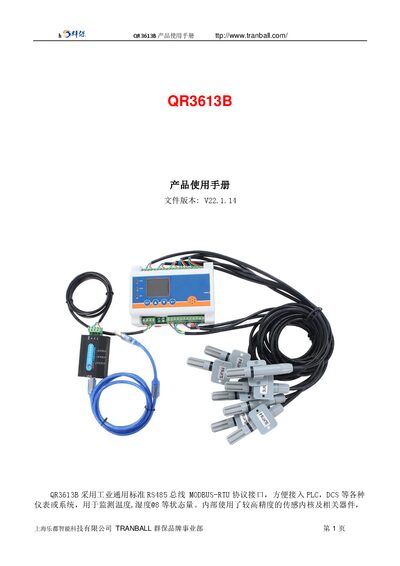
TRANBALL QR3613B User Manual
This manual introduces the QR3613B sensor, which uses an industrial‑standard RS485 MODBUS‑RTU interface and supports multiple output options such as RS232, CAN, 4‑20 mA, ZigBee, LoRa, Wi‑Fi, GPRS and NB‑IoT. It is designed for monitoring temperature, humidity and other status variables with high‑precision internal sensors.
The document provides detailed wiring diagrams, application examples, and step‑by‑step instructions for reading and modifying device parameters (address, baud rate, calibration values) via MODBUS commands. Example command frames and response formats are included for easy integration with PLCs, DCS, or other control systems. This manual is written in Chinese.
Covers: Technical Parameters · Product Wiring · Application Solutions · RS485 Communication Protocol · Inquiry Frame (Hex) · Read/Modify Device Address
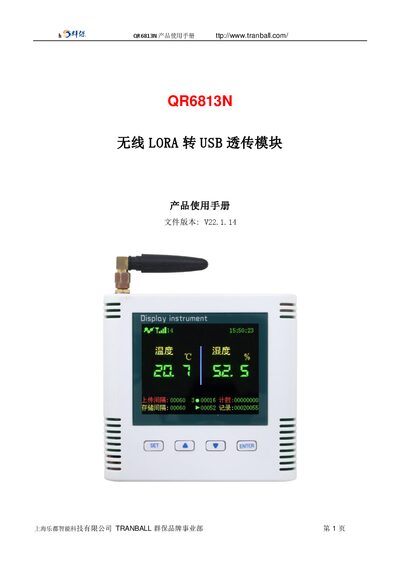
TRANBALL QR6813N Wireless LoRa to USB Transparent Module User Manual
The QR6813N is a wireless LoRa‑to‑USB transparent module that uses an SHT30 sensor to monitor temperature and humidity. It features an industrial‑standard interface that can be connected to PLCs, DCS and other instrumentation.
The manual includes technical specifications, wiring diagrams, application solutions, typical use cases and a disclaimer. It also lists the many configurable output options such as RS232, RS485, CAN, 4‑20 mA, DC0‑5 V/10 V, ZigBee, LoRa, Wi‑Fi, GPRS and NB‑IoT. This manual is written in Chinese.
Covers: Technical Parameters · Product Wiring · Application Solutions · Typical Applications · Disclaimer
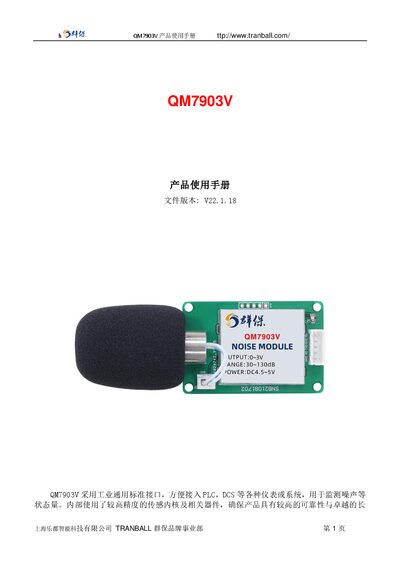
TRANBALL QM7903V Noise Monitoring Device User Manual
The QM7903V is an industrial noise monitoring device that supports multiple output interfaces such as RS485, TTL, DC0‑3V, and various wireless options. It features a high‑precision sensor core for reliable noise measurement across a wide range.
The manual covers technical parameters, product selection, wiring diagrams, Modbus‑RTU communication protocol, command frames for reading and configuring the device (address, baud rate, calibration), and calculation methods for converting voltage output to noise levels. This manual is written in Chinese.
Covers: Technical Parameters · Product Selection · Typical Applications · Communication Protocol (Modbus‑RTU) · Reading Data and Registers · Modifying Device Address
Latest TRANBALL manuals
TRANBALL QR3613B User Manual
User Manual 17 pages · 2.3 MB · ZHThe TRANBALL QR3613B user manual details communication interfaces, technical specs, wiring, and configuration commands for temperature and humidity monitoring.
TRANBALL QR6813N Wireless LoRa to USB Transparent Module User Manual
User Manual 11 pages · 2 MB · ZHThe TRANBALL QR6813N manual provides usage instructions for the wireless LoRa‑to‑USB transparent module, covering interface options, technical parameters…
TRANBALL QM7903V Noise Monitoring Device User Manual
User Manual 6 pages · 633 KB · ZHThe TRANBALL QM7903V user manual provides technical specifications, wiring options, communication protocols, and operation instructions for the noise…
Which document do I need?
User Manual
Day-to-day operation, settings and troubleshooting. Start here if the product is already set up.
Questions answered in TRANBALL manuals
How can I read the device address?
Send the MODBUS query frame FA 03 00 66 00 01 71 9E; the device will respond with its current address.
How do I change the device's baud rate?
Use the command 01 06 00 67 00 05 F8 16 to set the baud rate code to 5, which changes it to 38400 bps.
What sensor does the QR6813N monitor?
It monitors temperature and humidity using an SHT30 sensor.
From: TRANBALL QR6813N Wireless LoRa to USB Transparent Module User Manual
What communication interfaces can be configured on the QR6813N?
The module can be customized to support RS232, RS485, CAN, 4‑20 mA, DC0‑5 V/10 V, ZigBee, LoRa, Wi‑Fi, GPRS and NB‑IoT.
From: TRANBALL QR6813N Wireless LoRa to USB Transparent Module User Manual
How can I read the device address?
Send the Modbus query frame "FA 03 00 66 00 01 71 9E"; the device will respond with the current address in the first byte.
What command changes the baud rate to 38400?
Use the write command "01 06 00 67 00 05 F8 16" to set the baud‑rate register to code 5, which corresponds to 38400 bps.