
Key facts
- Manuals
- 1
- Languages
- EN
- Last added
- 2026-09-28
Featured U.S. Coast Guard Auxiliary manuals
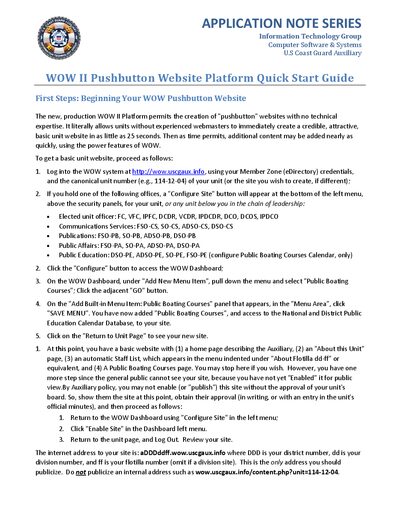
U.S. Coast Guard Auxiliary WOW II Pushbutton Website Platform Quick Start Guide
The guide walks users through logging into the WOW II system, configuring a site, adding built‑in menu items such as Public Boating Courses, and saving the menu. After the basic pages are created, the site must be enabled for public view, which requires board approval before clicking the "Enable Site" button.
It also describes the process for obtaining national approval, including checking the IT Department’s website checklist and submitting a formal request with contact details and the site URL. Additional resources such as the full User Manual, PowerPoint presentations, and conversion guides are listed for further assistance.
Covers: First Steps: Beginning Your WOW Pushbutton Website · Review Unit Websites · Importing an existing WOW‑I Site into WOW II · Obtaining National Approval for your WOW Site · WOW User's Manual and Other Collateral
Latest U.S. Coast Guard Auxiliary manuals
U.S. Coast Guard Auxiliary WOW II Pushbutton Website Platform Quick Start Guide
Quick Start Guide 2 pages · 198 KB · ENA quick start guide for the U.S. Coast Guard Auxiliary WOW II Pushbutton Website Platform, showing how to create and publish a unit website.
Which document do I need?
Quick Start Guide
The shortest path to a working setup, usually only a few pages.
Questions answered in U.S. Coast Guard Auxiliary manuals
How do I create a basic website with the WOW II platform?
Log into the WOW system, click the "Configure" button, add a new menu item such as Public Boating Courses, and save the menu to generate the basic site pages.
From: U.S. Coast Guard Auxiliary WOW II Pushbutton Website Platform Quick Start Guide
How can I enable my site for public view?
After board approval, return to the WOW Dashboard and click "Enable Site" in the left menu, then log out and review the public address.
From: U.S. Coast Guard Auxiliary WOW II Pushbutton Website Platform Quick Start Guide