
Key facts
- Manuals
- 3
- Languages
- ZH
- Last added
- 2026-09-28
Featured China Construction Bank manuals
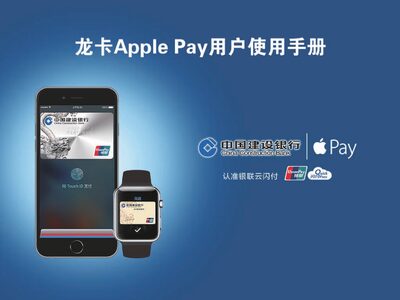
China Construction Bank Dragon Card Apple Pay User Manual
This manual introduces Dragon Card Apple Pay, a mobile payment service offered by China Construction Bank that works with Apple devices. It describes the simple, secure, and private payment experience, and outlines the steps to add your Dragon Card to Apple Wallet.
The guide is organized into sections covering product overview, supported card types, device requirements, how to add a card on iPhone, iPad, and Apple Watch, how to manage or delete cards, and details on billing, repayment, and fee rules. This manual is written in Chinese.
Covers: Product Overview · Supported Card Types · Device Requirements · Adding a Card on iPhone · Adding a Card on iPad · Adding a Card on Apple Watch
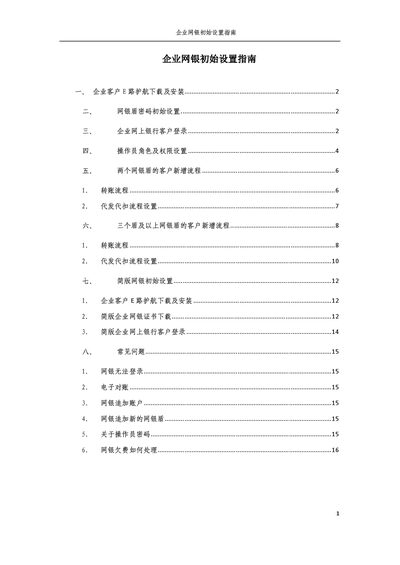
China Construction Bank Enterprise Online Banking Initial Setup Guide
The document provides step‑by‑step instructions for downloading and installing the E‑Road Shield security component, setting the initial shield password, and logging into the enterprise online banking portal. It also covers how to add operators, assign roles and permissions, and configure transaction workflows for both high‑version (with shield) and simplified versions of the service.
Additional sections describe specific procedures for customers with multiple shields, detailed setup of transfer and payroll processes, and a comprehensive FAQ that addresses common login problems, certificate handling, and fee payment methods. This manual is written in Chinese.
Covers: E‑Road Shield Download and Installation · Initial Shield Password Setup · Enterprise Online Banking Login · Operator Role and Permission Settings · New User Setup for Two Shields · Transfer and Payroll Process Configuration

China Construction Bank uKeyCI800-K05 Online Banking Token Installation and User Manual
The document guides personal users of China Construction Bank on how to install, configure, and safely use the uKeyCI800-K05 online banking token. It covers important precautions, password management, and procedures for removing the token after a banking session.
The manual is organized into three main parts: important precautions, detailed installation and usage instructions, and an appendix with Windows patch installation, IE7.0 browser settings, and information on product upgrades and service support. This manual is written in Chinese.
Covers: Important Precautions · Setting Token Password · Token Deactivation · Removing Token After Use · First Insertion Troubleshooting · Token Program Installation
Latest China Construction Bank manuals
China Construction Bank Dragon Card Apple Pay User Manual
User Manual 27 pages · 1.9 MB · ZHThe China Construction Bank Dragon Card Apple Pay User Manual explains setup, supported cards, device requirements, and usage instructions.
China Construction Bank Enterprise Online Banking Initial Setup Guide
User Manual 17 pages · 721 KB · ZHThis guide explains how to download, install, and configure the China Construction Bank Enterprise Online Banking system, including shield password setup…
China Construction Bank uKeyCI800-K05 Online Banking Token Installation and User Manual
User Manual 24 pages · 881 KB · ZHThis manual provides installation steps, password setup, and usage instructions for the China Construction Bank uKeyCI800-K05 online banking token (version…
Which document do I need?
User Manual
Day-to-day operation, settings and troubleshooting. Start here if the product is already set up.
Questions answered in China Construction Bank manuals
Which Apple devices are compatible with Dragon Card Apple Pay?
Supported devices include iPhone 6/6 Plus/6s/6s Plus with iOS 9.2+, iPad Pro, iPad Air 2, iPad mini 3/4, and Apple Watch with watchOS 2.1+ paired to an iPhone 5 or newer.
From: China Construction Bank Dragon Card Apple Pay User Manual
Are there any extra fees for using Dragon Card Apple Pay?
No separate fees are charged for Dragon Card Apple Pay; any fees follow the rules of the underlying credit card product.
From: China Construction Bank Dragon Card Apple Pay User Manual
Why can't I log into the online banking system?
Make sure the shield is plugged into the computer, the CCB icon appears in the system tray, the security component is running, and the computer’s date is correct.
From: China Construction Bank Enterprise Online Banking Initial Setup Guide
What happens if I enter the shield password incorrectly too many times?
The shield will be locked and cannot be reset; you must request a new shield from the bank.
From: China Construction Bank Enterprise Online Banking Initial Setup Guide
What happens if I enter the token password incorrectly many times?
If the password is entered incorrectly ten times, the token becomes deactivated and you must apply for a new one.
From: China Construction Bank uKeyCI800-K05 Online Banking Token Installation and User Manual
How should I remove the token after finishing online banking?
After completing your online banking session, simply pull the token out of the USB port and close the banking page or exit the browser.
From: China Construction Bank uKeyCI800-K05 Online Banking Token Installation and User Manual