
Key facts
- Manuals
- 2
- Languages
- ZH
- Last added
- 2026-09-28
Featured XunRao manuals
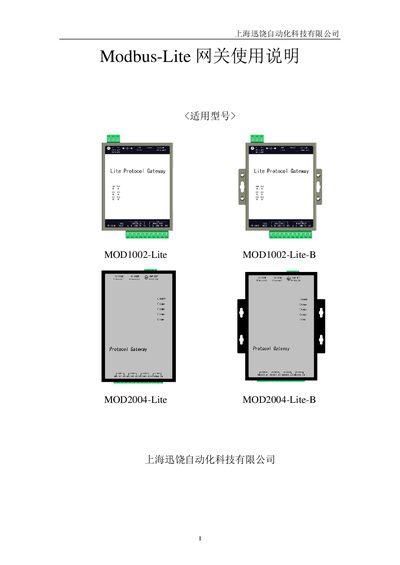
XunRao X2Modbus-Lite Gateway User Manual
The X2Modbus‑Lite gateway from XunRao converts various Modbus protocols to standard Modbus RTU or Modbus TCP. It can be configured on a PC using the X2Modbus software and then uploaded to the hardware gateway, or run entirely in PC mode.
The manual provides step‑by‑step instructions for language selection, monitoring mode, driver and channel setup, web server usage, MODBUS client access, JS script control, hardware specifications, and common troubleshooting tips. This manual is written in Chinese.
Covers: Preface · Overview · Usage Instructions · Web Server · MODBUS Client Access · JS Script Logic Control
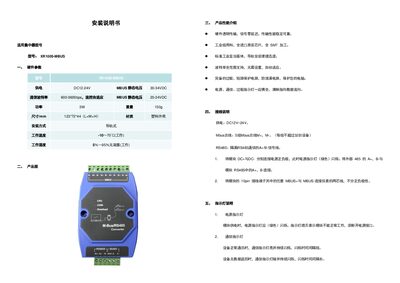
XunRao XR1005-MBUS Concentrator Installation Guide
This manual provides step‑by‑step instructions for installing the XR1005‑MBUS concentrator. It includes hardware parameters, product images, performance highlights, wiring diagrams, indicator light functions, and a troubleshooting section.
The guide details power connections, MBUS and RS‑485 wiring, rail‑mount installation, and how to interpret the power, communication, and overload LEDs. It also lists common issues and their resolutions, helping users achieve reliable operation in industrial environments. This manual is written in Chinese.
Covers: Hardware Parameters · Product Images · Product Performance Overview · Wiring Instructions · Indicator Light Description · Troubleshooting
Latest XunRao manuals
XunRao X2Modbus-Lite Gateway User Manual
User Manual 85 pages · 5.5 MB · ZHUser manual for XunRao X2Modbus-Lite gateway covering setup, configuration, web server, and troubleshooting.
XunRao XR1005-MBUS Concentrator Installation Guide
Installation Guide 2 pages · 199 KB · ZHInstallation guide for the XunRao XR1005-MBUS industrial concentrator, covering hardware specs, wiring, indicator lights, and troubleshooting.
Which document do I need?
User Manual
Day-to-day operation, settings and troubleshooting. Start here if the product is already set up.
Installation Guide
Mounting, wiring and first power-up. Read it before the hardware goes in.
Questions answered in XunRao manuals
How do I change the operating language?
Open the main program, go to the View menu and select “Language Settings”, then choose the desired language in the dialog.
What does the green power indicator light mean?
When the module is powered, the green power indicator flashes; if it is off, the module is not receiving power.
How are the MBUS wires connected?
Connect any MBUS+ and MBUS‑ pins on the 10‑pin terminal to the instrument’s two‑wire line; polarity does not matter.