
Key facts
- Manuals
- 2
- Languages
- EN
- Last added
- 2026-10-01
Featured ZY International manuals
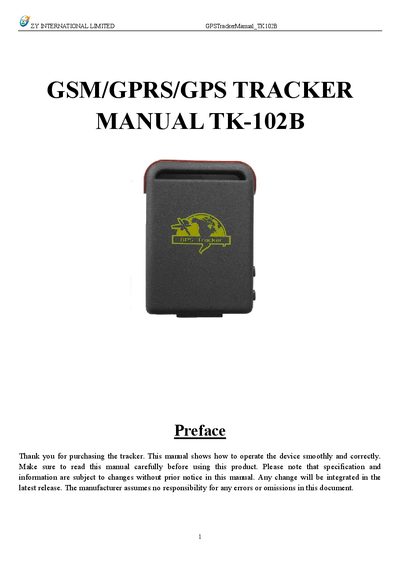
ZY International TK-102B GPS Tracker User Manual
The ZY International TK-102B GPS Tracker is a compact GSM/GPRS/GPS device designed for vehicle and personal tracking. This manual provides step‑by‑step instructions for hardware setup, SIM card installation, battery charging, and initial activation.
Detailed sections cover usage commands such as real‑time polling, geo‑fencing, voice surveillance, and data storage, as well as troubleshooting tips and safety cautions to ensure reliable operation in various environments.
Covers: Summary · Applications · Hardware Description · Specifications · Usage · Cautions
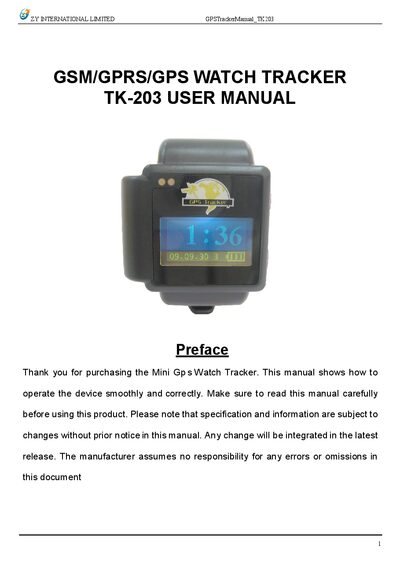
ZY International TK-203 GSM/GPRS/GPS Watch Tracker User Manual
The TK-203 is a compact GSM/GPRS/GPS watch tracker designed for personal and vehicle monitoring. It works with standard cellular networks and GPS satellites to report location and status via SMS or GPRS.
This manual covers hardware description, specifications, SIM card installation, battery charging, initialization, password changes, alerts (real‑time polling, auto‑track, geo‑fence, movement, overspeed, SOS), GPRS settings, cautions, and fault troubleshooting.
Covers: Summary · Application · Hardware Description · Specifications · Usage · Cautions
Latest ZY International manuals
ZY International TK-102B GPS Tracker User Manual
User Manual 15 pages · 566 KB · ENUser manual for the ZY International TK-102B GPS tracker covering installation, configuration, and operation.
ZY International TK-203 GSM/GPRS/GPS Watch Tracker User Manual
User Manual 16 pages · 925 KB · ENThe ZY International TK-203 GSM/GPRS/GPS Watch Tracker User Manual provides setup, operation, and troubleshooting instructions.
Which document do I need?
User Manual
Day-to-day operation, settings and troubleshooting. Start here if the product is already set up.
Questions answered in ZY International manuals
How do I install the SIM card?
Open the rear cover, remove the battery, push the foil aside, insert the SIM card, turn the foil right and fasten it in place.
How can I change the tracker password?
Send an SMS in the format "password+old password+space+new password" to the device.
How do I turn the device on or off?
Press and hold the on/off button for 3 seconds to power the tracker on or off; a 1‑second press switches the display to latitude/longitude.
From: ZY International TK-203 GSM/GPRS/GPS Watch Tracker User Manual
How can I change the tracker password?
Send an SMS in the format password+old password+space+new password to the device; the new password must be six digits.
From: ZY International TK-203 GSM/GPRS/GPS Watch Tracker User Manual