
Key facts
- Manuals
- 1
- Languages
- EN
- Last added
- 2026-09-30
Featured Yale manuals
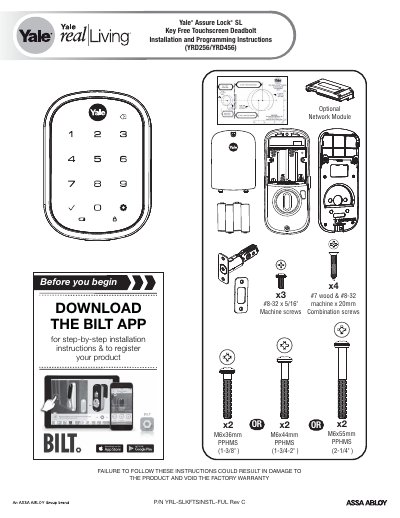
Yale Assure Lock SL Key Free Touchscreen Deadbolt 256/456 Installation Guide
This guide provides step‑by‑step instructions for preparing the door, installing the latch and strike plate, mounting the touchscreen escutcheon, and attaching the interior mounting plate and cable assembly. It also covers testing the lock, installing batteries, and adding an optional network module.
Additional sections describe the ZigBee and iM1 network modules, FCC compliance information, and how to enroll or unenroll these modules using the Yale Secure app.
Covers: Preparing Door · Installing Latch & Strike Plate · Installing Touchscreen Escutcheon · Installing Interior Mounting Plate · Attaching the Cable Assembly · Testing Operation
Latest Yale manuals
Yale Assure Lock SL Key Free Touchscreen Deadbolt 256/456 Installation Guide
Installation Guide 26 pages · 4 MB · ENInstallation and programming guide for the Yale Assure Lock SL Key Free Touchscreen Deadbolt (model 256/456).
Which document do I need?
Installation Guide
Mounting, wiring and first power-up. Read it before the hardware goes in.
Questions answered in Yale manuals
How do I enroll the ZigBee module?
Enter the 4‑8 digit master code followed by the key, then press the key as instructed.
From: Yale Assure Lock SL Key Free Touchscreen Deadbolt 256/456 Installation Guide
What is the FCC identification for this lock?
The FCC ID for the device is YRHCPZB.
From: Yale Assure Lock SL Key Free Touchscreen Deadbolt 256/456 Installation Guide