
Key facts
- Manuals
- 3
- Languages
- EN
- Last added
- 2026-10-01
Featured Trend Micro manuals
Trend Micro InterScan Web Security Virtual Appliance 6.5 SP2 Installation Guide
The guide begins with pre‑installation planning, detailing server, operating‑system and hardware requirements, as well as network and proxy configurations needed before deploying the InterScan Web Security Virtual Appliance. It then explains the various deployment modes—forward proxy, reverse proxy, ICAP, transparent bridge, WCCP and high‑availability—providing step‑by‑step instructions for each scenario.
Subsequent chapters cover the actual installation process on supported virtualization platforms (VMware ESX and Microsoft Hyper‑V), initial login, post‑installation tasks, and migration from earlier IWSVA versions. Appendices provide integration guidance (LDAP, Cisco routers, ICAP devices), performance tuning, best‑practice recommendations, maintenance information, and troubleshooting tips, with an index for quick reference.
Covers: Preinstallation Planning · Deployment Primer · Installation Procedure · Migration Guide · Deployment Integration · Performance Tuning and Troubleshooting
Trend Micro Apex One as a Service Administrator's Guide
This guide introduces the Apex One as a Service platform, describing its main features, smart protection network, and web console. It outlines the intended audience—administrators responsible for server and security‑agent management—and explains the document conventions used throughout.
The manual covers security‑agent installation, configuration, and uninstallation, endpoint protection settings such as anti‑malware scanning and firewall policies, monitoring dashboards, notification handling, scheduled updates, and administrative settings. It also provides troubleshooting resources, support contacts, and links to online help and knowledge‑base articles.
Covers: Introducing Apex One as a Service · Security Agent Management · Endpoint Protection · Monitoring and Dashboards · Updates and Administration · Technical Support and Getting Help
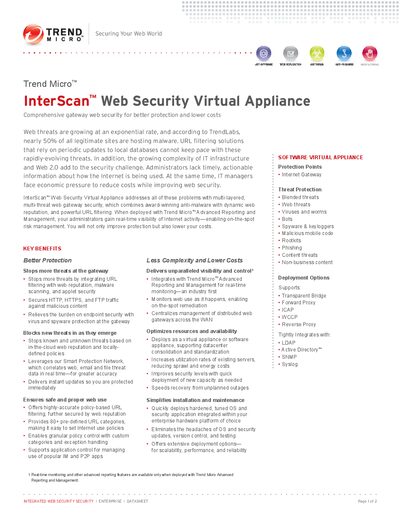
Trend Micro InterScan Web Security Virtual Appliance Datasheet
InterScan Web Security Virtual Appliance provides multi‑layered web gateway protection, combining anti‑malware, web reputation, URL filtering and application control to secure HTTP, HTTPS and FTP traffic. Integrated with Trend Micro Advanced Reporting and Management, it offers real‑time visibility and centralized management across distributed deployments.
The solution can be deployed as a virtual appliance on VMware ESX/ESXi or as a software appliance on standard servers, supporting transparent bridge, forward proxy, ICAP, WCCP and reverse proxy modes. Recommended hardware ranges from dual 2.8 GHz Core2Duo CPUs with 4 GB RAM for up to 4,000 users to dual 3.16 GHz QuadCore CPUs with 8 GB RAM for up to 8,000 users, plus at least 300 GB disk space for log‑intensive environments.
Covers: Key Benefits · Key Features · Protection Points · Deployment Options · System Requirements · Companion Products
Latest Trend Micro manuals
Trend Micro InterScan Web Security Virtual Appliance 6.5 SP2 Installation Guide
Installation Guide 177 pages · 4.1 MB · ENInstallation guide for Trend Micro InterScan Web Security Virtual Appliance 6.5 SP2, covering planning, deployment modes, installation, migration and…
Trend Micro Apex One as a Service Administrator's Guide
User Manual 225 pages · 1.5 MB · ENThe Trend Micro Apex One as a Service Administrator's Guide provides installation, agent management, security settings, monitoring, and update procedures…
Trend Micro InterScan Web Security Virtual Appliance Datasheet
Datasheet 2 pages · 588 KB · ENThe Trend Micro InterScan Web Security Virtual Appliance datasheet outlines key benefits, features, deployment options, and system requirements.
Which document do I need?
Installation Guide
Mounting, wiring and first power-up. Read it before the hardware goes in.
User Manual
Day-to-day operation, settings and troubleshooting. Start here if the product is already set up.
Datasheet
Ratings, dimensions and ordering codes, for selection and design work.
Questions answered in Trend Micro manuals
What is the purpose of this guide?
It provides in‑depth information about the main features of the software, installation instructions, deployment planning, migration guidance, and troubleshooting tips.
From: Trend Micro InterScan Web Security Virtual Appliance 6.5 SP2 Installation Guide
What is the document part number?
The document part number is APEM09510/220316.
From: Trend Micro Apex One as a Service Administrator's Guide
When was this guide released?
The guide was released in April 2022.
From: Trend Micro Apex One as a Service Administrator's Guide
What deployment options are available for the InterScan Web Security Virtual Appliance?
It can be deployed as a transparent bridge, forward proxy, ICAP, WCCP, or reverse proxy.
From: Trend Micro InterScan Web Security Virtual Appliance Datasheet
What are the recommended hardware requirements for up to 8,000 users?
A dual 3.16 GHz Intel QuadCore 64‑bit processor, 8 GB RAM, and at least 300 GB of disk space.
From: Trend Micro InterScan Web Security Virtual Appliance Datasheet