
Key facts
- Manuals
- 2
- Languages
- EN
- Last added
- 2026-09-29
Featured Pearson manuals
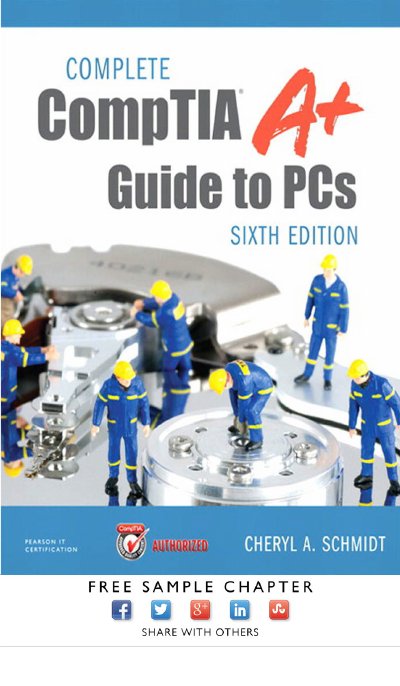
CompTIA A+ Guide to PCs Sixth Edition
The CompTIA A+ Guide to PCs, Sixth Edition provides detailed instruction on computer hardware, software, and troubleshooting techniques. It is organized into chapters that walk readers through fundamentals such as motherboard components, system configuration, and disassembly procedures.
The book also includes extensive labs, review questions, and practical exercises to help students prepare for the CompTIA A+ certification exam. It covers topics ranging from memory and storage devices to networking and security, making it a full‑length study resource for IT professionals.
Covers: Introduction to Computer Repair · On the Motherboard · System Configuration · Disassembly and Power · Logical Troubleshooting · Memory
Pearson Onscreen Platform Local Area Network Version 06.16 User Guide
This guide provides centre staff with detailed instructions for installing and operating the Pearson Onscreen Platform (PoP) in a classroom environment. It covers the technical requirements, software components, network configuration, and steps for setting up the Administrator Dashboard, Invigilator Dashboard, and Test Player.
The document also explains how to upgrade and uninstall the PoP components, including firewall port settings, proxy configuration, and troubleshooting common errors such as test‑violation focus loss. Additional resources such as videos, live chat support, and demo tests are referenced for further assistance.
Covers: Technical Requirements · Installation · Administrator Dashboard · Invigilator Dashboard · Test Player · Communication and Networking
Latest Pearson manuals
CompTIA A+ Guide to PCs Sixth Edition
Other 150 pages · 5.6 MB · ENA comprehensive textbook covering computer repair, hardware, and troubleshooting for the CompTIA A+ certification.
Pearson Onscreen Platform Local Area Network Version 06.16 User Guide
User Manual 43 pages · 2.7 MB · ENUser guide for Pearson Onscreen Platform LAN version 06.16, covering technical requirements, installation, dashboards, and test player usage.
Which document do I need?
User Manual
Day-to-day operation, settings and troubleshooting. Start here if the product is already set up.
Questions answered in Pearson manuals
What is covered in Chapter 1?
Chapter 1 provides an introduction to computer repair, including safety notes, technician qualities, and basic computer parts.
What topics are included in Chapter 4?
Chapter 4 covers disassembly, electrostatic discharge, tools, opening the case, power‑supply overview, and preventive maintenance.
What internet speed is required for the Exam Centre Service?
A minimum ADSL connection of 1 Mb is required, though higher speeds improve performance.
From: Pearson Onscreen Platform Local Area Network Version 06.16 User Guide
Which firewall ports must be opened for the Pearson Onscreen Platform to communicate?
Ports 52221, 52222, and 443 need to be open, and the Exam Centre Service uses ports 52222‑52250.
From: Pearson Onscreen Platform Local Area Network Version 06.16 User Guide