
Key facts
- Manuals
- 1
- Languages
- EN
- Last added
- 2026-09-29
Featured norbar manuals
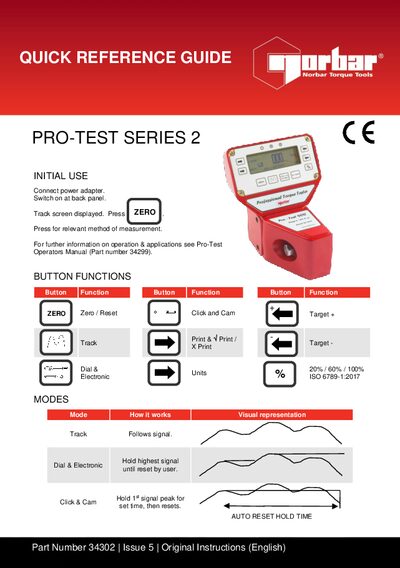
Norbar Pro-Test Series 34302 Initial Use Guide
This guide provides step‑by‑step instructions for powering on the Pro‑Test Series 34302, selecting measurement units, and using the various button functions such as Zero/Reset, Track, Click & Cam, and Dial & Electronic. It also explains the three operating modes (Track, Click & Cam, Dial & Electronic) and how to adjust auto‑reset hold time and first‑peak sensitivity.
The troubleshooting section addresses common issues like no display, zero function failures, inconsistent first‑peak readings, and serial‑port communication problems, with clear checks and corrective actions. Contact information for Norbar Torque Tools Ltd is included for further assistance.
Covers: Initial Use · Button Functions · Modes · Settings · Troubleshooter’s Guide · Serial Port
Latest norbar manuals
Norbar Pro-Test Series 34302 Initial Use Guide
User Manual 2 pages · 198 KB · ENInitial use guide for the Norbar Pro-Test Series 34302 torque tool, covering setup, button functions, modes, settings and troubleshooting.
Which document do I need?
User Manual
Day-to-day operation, settings and troubleshooting. Start here if the product is already set up.
Questions answered in norbar manuals
What should I do if there is no display when the power is switched on?
Check that the power‑supply module is correctly plugged into the back of the display housing and verify the fuse in the mains power plug.
Why does the Zero function not work in Track mode?
The transducer may be over‑strained; return the unit to Norbar for service.