
Key facts
- Manuals
- 2
- Languages
- EN
- Last added
- 2026-09-30
Featured METER GROUP manuals

METER Group ZL6 Data Logger User Manual
This manual guides users through installing the ZL6 logger, configuring sensor measurement intervals, and downloading data via the ZENTRA Utility on a computer or mobile device. It also covers battery installation, solar panel optimization, and waterproof handling.
Detailed sections describe hardware specifications, communication options (USB, Bluetooth, cellular, GPS), and troubleshooting steps, along with compliance certifications and customer support information.
Covers: Introduction · Operation · System Specifications · ZENTRA Software · Service and Maintenance · Compliance Certifications
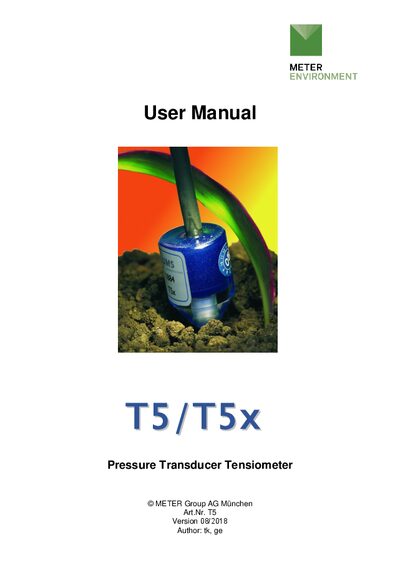
METER Group T5/T5x Tensiometer User Manual
The METER Group T5 and T5x tensiometers are miniature instruments for measuring soil water tension, pressure and temperature. This manual provides safety instructions, delivery contents, and detailed descriptions of the sensor design, including the ceramic cup and pressure transducer.
It also covers installation procedures, offset correction, connection to data loggers, service and maintenance tasks such as refilling and calibration, and includes technical specifications, wiring diagrams and accessory information.
Covers: Introduction · Safety instructions and warnings · Content of delivery · Quick installation guide · Sensor description · Installation
Latest METER GROUP manuals
METER Group ZL6 Data Logger User Manual
User Manual 53 pages · 1.1 MB · ENThe METER Group ZL6 Data Logger User Manual provides setup, configuration, and maintenance instructions for the ZL6 environmental data logger.
METER Group T5/T5x Tensiometer User Manual
User Manual 48 pages · 1.4 MB · ENUser manual for METER Group T5 and T5x tensiometers covering safety, installation, maintenance and technical specifications.
Which document do I need?
User Manual
Day-to-day operation, settings and troubleshooting. Start here if the product is already set up.
Questions answered in METER GROUP manuals
How do I install the batteries in the ZL6?
Press the TEST button; the status lights will settle to a green short blink every 5 seconds, indicating the logger is ready for use.
How can I connect the ZL6 to a computer?
Plug a micro‑USB cable into the logger’s USB port and the computer’s USB port, then open the ZENTRA Utility application.
What is the maximum non‑destructive pressure for the tensiometer?
The maximum non‑destructive pressure is 300 kPa, which equals 3 bar or 3000 hPa.
What supply voltage is recommended for the T5/T5x?
A typical supply voltage of 10.6 VDC is recommended, provided by a TV‑batt power source.