
Key facts
- Manuals
- 1
- Languages
- EN
- Last added
- 2026-10-01
Featured Linos manuals
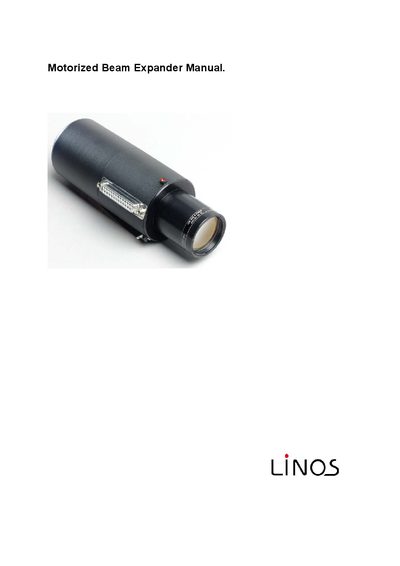
Linos 4401-345-000-21 Motorized Beam Expander User Manual
The Linos Motorized Beam Expander provides motorized adjustment of beam expansion and focus for laser systems. It supports wavelengths of 1064 nm (standard) and 532 nm on request, with an entrance beam diameter of 8 mm. Two motor‑driven lens groups allow independent control of expansion (2×‑8×) and back focal length, and the device can store up to eight alignment positions.
The manual covers optical specifications, the optional controller hardware, Windows™ software operation, serial RS‑232C communication, wiring diagrams, programming commands, handling precautions, and accessories. Detailed command strings and error codes are provided for integration into custom control systems.
Covers: Introduction · Optical Data and Drive System · Software · Serial Interface · Beam Expander Connection · Programming Interface
Latest Linos manuals
Linos 4401-345-000-21 Motorized Beam Expander User Manual
User Manual 30 pages · 614 KB · ENThe manual describes operation, optical data, software, and wiring for the Linos 4401-345-000-21 Motorized Beam Expander.
Which document do I need?
User Manual
Day-to-day operation, settings and troubleshooting. Start here if the product is already set up.
Questions answered in Linos manuals
What is the expansion range of the Beam Expander?
The device provides a nominal expansion range from 2× to 8×.
From: Linos 4401-345-000-21 Motorized Beam Expander User Manual
How can I change the serial communication parameters?
In the Windows software, open the ‘Port Settings’ window and select the desired baud rate, parity, data bits, stop bits, and XON/XOFF handshake; the defaults are 9600 Bd, no parity, 8‑bit, 1‑stop, XON/XOFF.
From: Linos 4401-345-000-21 Motorized Beam Expander User Manual