
Key facts
- Manuals
- 2
- Languages
- ZH
- Last added
- 2026-10-01
Featured ikbc manuals
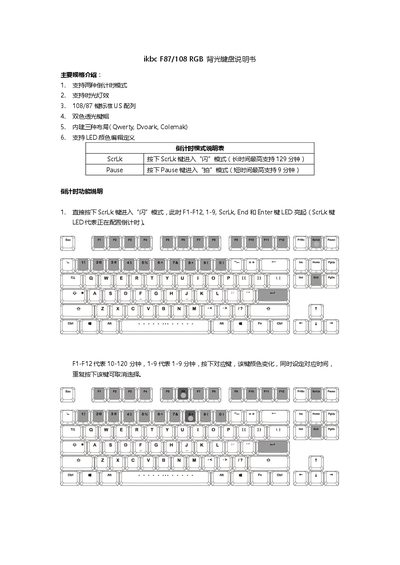
ikbc F87/108 RGB Backlit Keyboard User Manual
This manual introduces the main specifications of the ikbc F87/108 keyboard, including its 108/87‑key US layout, dual‑color translucent keycaps, three built‑in layouts (Qwerty, Dvorak, Colemak), and two countdown timer modes. Detailed instructions show how to activate flash or snap countdowns, set timer lengths, and monitor remaining time.
The guide also covers the extensive RGB lighting system, describing how to open the color palette (Fn+Esc), adjust individual RGB values (Fn+F1‑F3), switch between lighting zones, and use special effects such as waves, rain, and ripples. Additional sections explain key‑remapping shortcuts, layout switching (Fn+Home, Fn+Ins, Fn+PgUp), acceleration indicators (Fn+`), and how to restore factory defaults. This manual is written in Chinese.
Covers: Main Specifications · Countdown Mode · Lighting Modes · Zone Lighting · Lighting Adjustment · Key Layout Switching

ikbc Poker II Keyboard User Manual
This manual describes the main specifications of the ikbc Poker II keyboard, including full‑key programmability, Fn/Pn position switching, three built‑in layouts, PBT keycaps and a compact 61‑key US layout. It also shows the key‑position diagram and the default Fn function table.
Detailed sections cover programming methods, layer switching, programming delay settings, how to change Fn and Pn positions using the dip switches, key‑layout switching, and procedures to restore the keyboard to its factory defaults. This manual is written in Chinese.
Covers: Disclaimer · Main Specifications · Key Layout Diagram · Fn General Functions · Fn Multimedia Functions · Programming Instructions
Latest ikbc manuals
ikbc F87/108 RGB Backlit Keyboard User Manual
User Manual 14 pages · 3.6 MB · ZHThe ikbc F87/108 RGB Backlit Keyboard User Manual explains countdown modes, lighting settings, key functions, and acceleration options.
ikbc Poker II Keyboard User Manual
User Manual 11 pages · 1.5 MB · ZHThe ikbc Poker II Keyboard User Manual provides specifications, programming instructions, layout switching, and switch settings.
Which document do I need?
User Manual
Day-to-day operation, settings and troubleshooting. Start here if the product is already set up.
Questions answered in ikbc manuals
How can I change the keyboard’s lighting colors?
Press Fn+Esc to open the color palette, then use Fn+F1‑F3 to adjust red, green, and blue values, or press Space to switch palettes.
How do I switch the key layout to Dvorak?
Press Fn+Home to change the layout to Dvorak.
How do I switch between programming layers?
Press Fn then Right Shift; release both keys to move to the next layer.