
Key facts
- Manuals
- 3
- Languages
- EN · DE
- Last added
- 2023-11-02
Featured DIEBOLD NIXDORF manuals
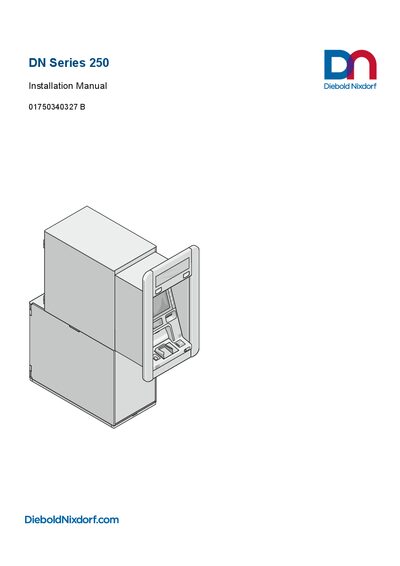
Diebold Nixdorf DN Series 250 Installation Manual
This guide provides detailed instructions for installing the DN Series 250 system, including safety precautions, planning, and step‑by‑step mounting procedures. It also covers cable routing, installation plinth options, and final commissioning steps.
The document includes technical data, environmental and EMC compliance information, and required clearances for ventilation and maintenance space. Appendices list electrical characteristics, standards, and environmental protection guidelines.
Covers: Introduction · Safety · Planning the installation · Installation · Putting into service · Technical Data
Diebold Nixdorf BEETLE /iPOS plus Advanced User Manual
This manual covers everything needed to install, configure, and operate the BEETLE /iPOS plus Advanced all‑in‑one POS system. It includes safety notes, warranty information, unpacking guidance, and detailed sections on basic settings, hardware components, and peripheral options.
Key topics include installation procedures for desktop and wall‑mount versions, touch‑screen usage (both projected capacitive and resistive), battery replacement, hard‑disk and RAM upgrades, and a technical data overview with approved printer lists and regulatory declarations.
Covers: Introduction · Basic Settings · Installation · Touch Screen Operation · Peripherals · Technical Data
Diebold Nixdorf K-two Kiosk Installation Guide
This guide provides detailed instructions for preparing the site and installing the Diebold Nixdorf K-two kiosk. It includes safety notes, warranty information, and requirements for proper ventilation and grounding.
The document walks through opening the kiosk, assembling single‑ and double‑sided units, wiring peripherals, and connecting power supplies. Technical data, environmental requirements, and certification details are also included. This manual is written in German.
Covers: Site Preparation and Installation · Important Notes · Connecting Peripherals · Opening the Kiosk · Dimensions · Assembling Instructions
Latest DIEBOLD NIXDORF manuals
Diebold Nixdorf DN Series 250 Installation Manual
Installation Guide 184 pages · 8.6 MB · ENInstallation manual for the Diebold Nixdorf DN Series 250, covering setup, mounting, wiring, safety and compliance.
Diebold Nixdorf BEETLE /iPOS plus Advanced User Manual
User Manual 79 pages · 2.8 MB · ENThe Diebold Nixdorf BEETLE /iPOS plus Advanced User Manual provides setup, operation, and maintenance instructions for the all‑in‑one POS system.
Diebold Nixdorf K-two Kiosk Installation Guide
Installation Guide 67 pages · 2.7 MB · DEInstallation guide for the Diebold Nixdorf K-two kiosk, covering site preparation, wiring, assembly, and safety instructions.
Which document do I need?
Installation Guide
Mounting, wiring and first power-up. Read it before the hardware goes in.
User Manual
Day-to-day operation, settings and troubleshooting. Start here if the product is already set up.
Questions answered in DIEBOLD NIXDORF manuals
How can I replace the lithium battery?
The manual includes a dedicated section titled “Replacing the Lithium Battery”.
From: Diebold Nixdorf BEETLE /iPOS plus Advanced User Manual
What types of touch screens does the device support?
The device supports both projected capacitive and resistive touch screens.
From: Diebold Nixdorf BEETLE /iPOS plus Advanced User Manual
What is the warranty period for the K-two kiosk?
Diebold Nixdorf guarantees a warranty engagement for 12 months beginning with the date of delivery.
How should the terminal be disconnected from the power source?
Use the separator in the fuse box/building installation to completely disconnect the terminal from the power source.