
Key facts
- Manuals
- 1
- Languages
- EN
- Last added
- 2026-09-30
Featured Cool Gear manuals
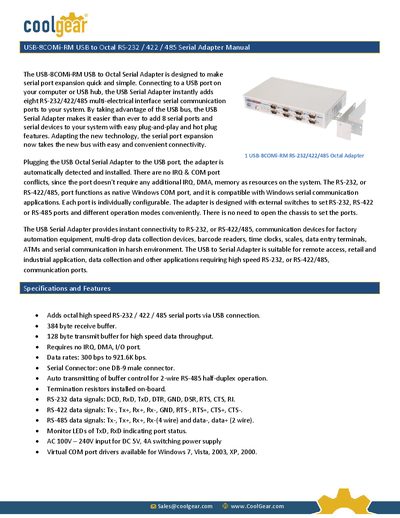
CoolGear USB-8COMi-RM RS-232/422/485 Octal Adapter Manual
The USB-8COMi-RM is a USB‑to‑Octal serial adapter that adds eight RS‑232/422/485 ports to a computer via a single USB connection. It supports plug‑and‑play operation, hot‑plug, and offers configurable DIP switches and jumpers for selecting port mode and termination/bias settings.
The manual covers hardware installation, driver installation for Windows 2000‑XP‑Vista‑7, COM port configuration, and detailed procedures for uninstalling drivers. It also lists the electrical specifications, pin‑outs for RS‑232, RS‑422 and RS‑485, and power requirements for the adapter.
Covers: Specifications and Features · Power Supply · Hardware Installation · Mode Block Configuration Settings · Jumper Settings · Driver Installation
Latest Cool Gear manuals
CoolGear USB-8COMi-RM RS-232/422/485 Octal Adapter Manual
User Manual 11 pages · 779 KB · ENThe CoolGear USB-8COMi-RM manual provides setup, driver installation, configuration and specifications for the USB to Octal RS‑232/422/485 serial adapter.
Which document do I need?
User Manual
Day-to-day operation, settings and troubleshooting. Start here if the product is already set up.
Questions answered in Cool Gear manuals
How do I install the driver for the USB-8COMi-RM?
Insert the “USB COM Series Driver and Utility” CD, run the driver installer, and follow the prompts; the driver will auto‑detect the Windows version and install.
From: CoolGear USB-8COMi-RM RS-232/422/485 Octal Adapter Manual
How can I change the COM port number assigned to the adapter?
Open Device Manager, select the USB Serial Port, click Properties, go to Port Settings → Advanced, and choose a new COM port number from the drop‑down list.
From: CoolGear USB-8COMi-RM RS-232/422/485 Octal Adapter Manual