
Key facts
- Manuals
- 4
- Languages
- ZH · EN
- Last added
- 2026-10-01
Featured COMSOL manuals
COMSOL 5.6 App Builder Introduction Manual
The COMSOL App Builder provides a graphical environment for creating custom Apps that interface with COMSOL Multiphysics models. It includes a desktop interface, a form editor for designing user interfaces, and a method editor for defining the computational workflow.
The guide explains how to run Apps directly in COMSOL Multiphysics, through COMSOL Server, or as compiled executables using COMSOL Compiler. It also describes publishing options, licensing requirements, and links to additional online resources such as tutorials, forums, and technical support. This manual is written in Chinese.
Covers: Preface · Introduction · App Builder Desktop Environment · App Builder and Model Builder · Parameters, Variables, and Domains · Running Apps
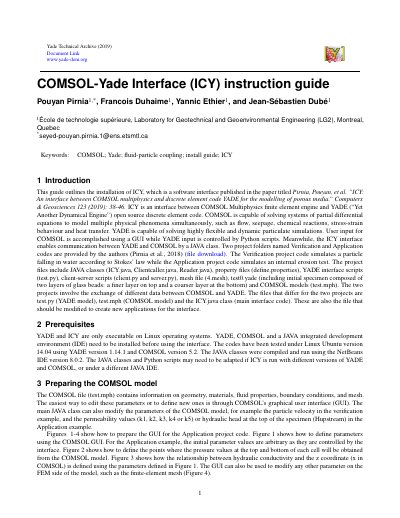
COMSOL ICY Interface Installation Guide
This guide explains how to install and use the ICY interface, which connects COMSOL Multiphysics with the open‑source YADE discrete element code. It covers required software, preparation of COMSOL models, and configuration of the NetBeans project.
Step‑by‑step instructions are provided for setting up the Linux environment, adding COMSOL plug‑ins to NetBeans, editing property files, and launching the COMSOL server and Python client‑server scripts. The document also shows how to modify parameters in the YADE script and run the verification and application examples.
Covers: Introduction · Prerequisites · Preparing the COMSOL model · Preparing the project in NetBeans · Running the interface · Preparing the YADE script
COMSOL AC/DC Module Introduction
The COMSOL AC/DC Module enables engineers and scientists to model static, low‑frequency, and transient electric, magnetic, and electromagnetic fields in 2D and 3D. It supports a range of applications from MEMS inductors to electromagnetic brakes and can extract circuit parameters such as resistance, capacitance, inductance, force, and torque.
The typical workflow consists of defining geometry, selecting materials, choosing the appropriate AC/DC physics interface, setting boundary and initial conditions, meshing, selecting a solver, and visualizing results. The module includes a case library with tutorial and benchmark examples, such as a 3‑D inductor modeling exercise. This manual is written in Chinese.
Covers: Introduction · Applications · Physics Interfaces · Tutorial Example: 3D Inductor Modeling · Results Visualization
COMSOL Multiphysics App Builder Product Manual
This manual introduces COMSOL Multiphysics® and COMSOL Server™ and explains how engineers can use the integrated modeling, simulation, and app design environment throughout the product development cycle. It covers the various application‑oriented product modules such as electromagnetics, structural acoustics, fluid‑heat transfer, chemical engineering, and more.
The document also details licensing options (single‑user, CPU‑locked, network floating, classroom, and server licenses), supported operating systems (Windows®, Linux®, OS X®, iOS, Android™), and the technical support services provided with a permanent COMSOL license. This manual is written in Chinese.
Covers: Product Library · COMSOL Multiphysics · COMSOL Server · Application‑oriented Products · Electromagnetics · Structural & Acoustics
Latest COMSOL manuals
COMSOL 5.6 App Builder Introduction Manual
User Manual 363 pages · 12.4 MB · ZHThis manual introduces the COMSOL App Builder (version 5.6), covering its desktop environment, form and method editors, and how to run, compile, and publish…
COMSOL ICY Interface Installation Guide
Installation Guide 8 pages · 2 MB · ENInstallation and usage guide for the COMSOL ICY interface that links COMSOL Multiphysics with the YADE discrete element code.
COMSOL AC/DC Module Introduction
Product Leaflet 49 pages · 2.3 MB · ZHAn overview of COMSOL Multiphysics 5.3 AC/DC Module, covering its features, applications, physics interfaces, and modeling workflow.
COMSOL Multiphysics App Builder Product Manual
User Manual 100 pages · 28.5 MB · ZHThe COMSOL Multiphysics App Builder product manual describes features, licensing options, and usage of the software for multi‑physics simulation.
Which document do I need?
User Manual
Day-to-day operation, settings and troubleshooting. Start here if the product is already set up.
Installation Guide
Mounting, wiring and first power-up. Read it before the hardware goes in.
Questions answered in COMSOL manuals
Can a compiled COMSOL App be run without a COMSOL license?
Yes, a compiled app can be distributed and run on supported operating systems without requiring a COMSOL license on the target machine.
What additional product is required to run apps on COMSOL Server?
A COMSOL Server license is required; the App Builder itself is not included with COMSOL Server.
What operating system is required for the ICY interface?
The ICY interface runs only on Linux operating systems.
Which software must be installed before using ICY?
COMSOL, YADE, and a Java IDE such as NetBeans need to be installed before using the interface.
What types of simulations can the AC/DC Module perform?
It can model static, low‑frequency, and transient electric, magnetic, and electromagnetic fields.
What is the typical workflow for using the AC/DC Module?
Define geometry, select material, choose an AC/DC interface, set boundary and initial conditions, mesh, select a solver, and visualize results.