
Key facts
- Manuals
- 2
- Languages
- EN
- Last added
- 2026-09-29
Featured Comica manuals
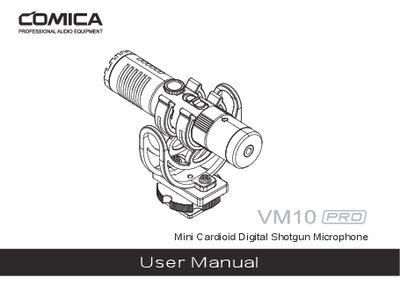
COMICA VM10 PRO Mini Cardioid Digital Shotgun Microphone User Manual
The COMICA VM10 PRO is a compact shotgun microphone with a cardioid pickup pattern. It offers dual digital and analog output modes, stepless gain control, real‑time monitoring, and a professional shock‑mount for effective vibration isolation.
The manual includes a checklist of items, detailed wiring and mode‑switching instructions, and a full specification table covering sensitivity, frequency response, SPL, and physical dimensions. It also notes compatibility notes for smartphones and cameras.
Covers: Foreword · Main Features · Item Check List · Components and Instruction · Installation (Digital Mode) · Installation (Analog Mode)
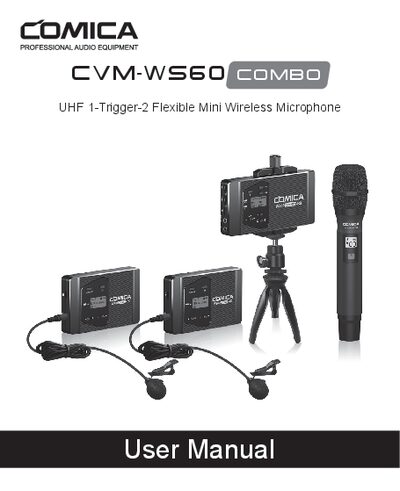
COMICA CVM-WS60 Combo UHF 1-Trigger-2 Wireless Microphone User Manual
The CVM-WS60 Combo is a compact UHF wireless microphone system that works with smartphones and cameras. It includes a lavalier transmitter, a hand‑held transmitter, and a receiver, offering up to 60 m working distance, 12 channels, and a high‑resolution LCD display.
This manual covers unpacking, component identification, connection methods, button functions, low‑cut filter settings, and detailed technical specifications for each unit. Safety precautions, recommended operating environments, and troubleshooting tips are also included.
Covers: Main Features · Packing List · Components and Instructions · Lavalier Transmitter (TX) Operation · Hand‑held Transmitter (HTX) Operation · Receiver (RX) Operation
Latest Comica manuals
COMICA VM10 PRO Mini Cardioid Digital Shotgun Microphone User Manual
User Manual 20 pages · 4.3 MB · ENThe COMICA VM10 PRO Mini Cardioid Digital Shotgun Microphone User Manual provides setup instructions, features, specifications, and a list of included items.
COMICA CVM-WS60 Combo UHF 1-Trigger-2 Wireless Microphone User Manual
User Manual 64 pages · 30.9 MB · ENThe COMICA CVM-WS60 Combo UHF 1-Trigger-2 wireless microphone user manual provides setup, operation, and safety instructions.
Which document do I need?
User Manual
Day-to-day operation, settings and troubleshooting. Start here if the product is already set up.
Questions answered in Comica manuals
How do I switch between digital and analog modes?
Set the digital/analog switch button to the digital icon for digital mode, or to the analog icon for analog mode.
From: COMICA VM10 PRO Mini Cardioid Digital Shotgun Microphone User Manual
What cables are included with the microphone?
The package includes a 3.5mm TRS‑TRS audio cable, a 3.5mm TRS‑TRRS audio cable, and a USB‑C to USB‑C audio cable, among other accessories.
From: COMICA VM10 PRO Mini Cardioid Digital Shotgun Microphone User Manual
What is the minimum distance required between the transmitter and receiver?
The transmitter should be placed more than 20 cm from the receiver; otherwise the receiver will shut down the wireless signal as a protection measure.
From: COMICA CVM-WS60 Combo UHF 1-Trigger-2 Wireless Microphone User Manual
What type of audio cable does the system use?
The system uses a TRRS‑TRRS output cable, which differs from the more common TRS‑TRS cables and cannot be used universally.
From: COMICA CVM-WS60 Combo UHF 1-Trigger-2 Wireless Microphone User Manual