
Key facts
- Manuals
- 1
- Languages
- IT
- Last added
- 2026-10-04
Featured Candy manuals
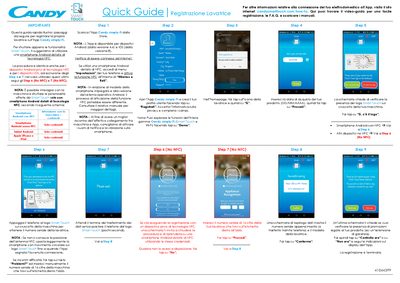
Candy simply-Fi Washing Machine Quick Start Guide
This guide explains the steps to register your Candy simply‑Fi washing machine with the Candy app. It covers downloading the app, enabling NFC on Android devices, scanning the Smart Touch logo to transfer the serial number, and completing the registration, including a manual entry option for devices without NFC.
The second part describes how to use the Voice Assistant feature. By speaking fabric type, colour and dirt level, the assistant suggests the optimal wash program. It also provides tips for successful voice recognition and troubleshooting common issues. This manual is written in Italian.
Covers: Downloading and Installing the Candy App · Enabling NFC on Android Devices · Smart Touch Registration (NFC) · Manual Serial Number Entry (No NFC) · Voice Assistant Overview · Providing Fabric, Colour, and Dirt Level
Latest Candy manuals
Candy simply-Fi Washing Machine Quick Start Guide
Quick Start Guide 2 pages · 852 KB · ITQuick guide showing how to register a Candy simply‑Fi washing machine to the Candy app and use Smart Touch and the Voice Assistant.
Which document do I need?
Quick Start Guide
The shortest path to a working setup, usually only a few pages.
Questions answered in Candy manuals
What do I need to use the Voice Assistant feature?
You need the Candy app on an Android phone with NFC enabled; then speak the fabric, colour and dirt level as prompted.
What happens if the voice input is not recognized?
The system will ignore unrecognized words and you can repeat the pronunciation or use synonyms.